Skip to content

Android, version 1.5.0

Expense tracking that keeps your data on your phone

A quiet Android app for expenses, budgets and receipts. No account, no server, no tracking.

21.04 MB, needs 8.0 or newer

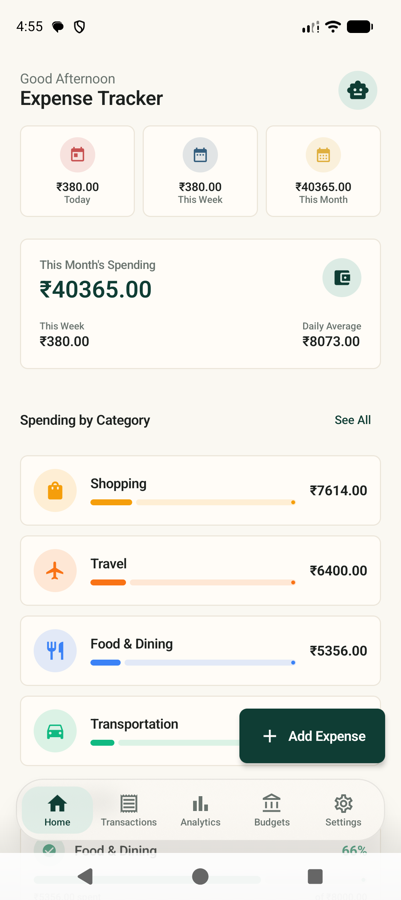
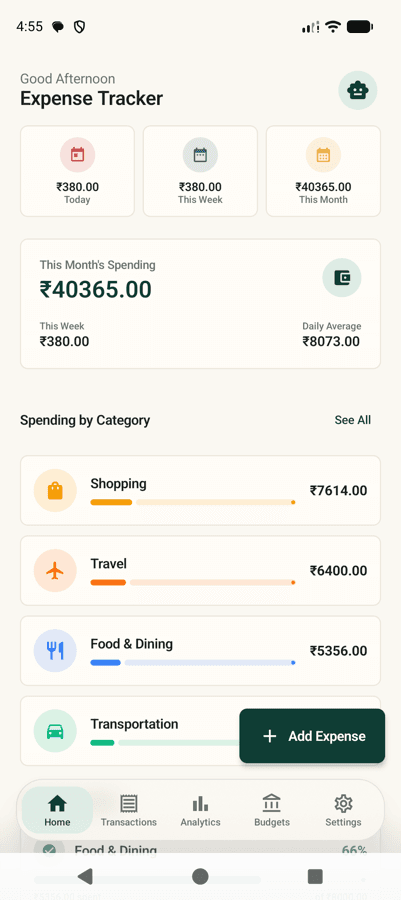
The Expense Tracker home screen, showing this month's spending, a bar chart of recent days, and the most recent transactions.

Everything it does, it does on your phone

There is no account to create and no server to call. Every feature below works with the phone in aeroplane mode.

UPI messages become expenses

Read transaction SMS on the phone, pull out the amount, merchant and reference, and file it under a category the words suggest.

HDFC BANK: Rs 450.00 debited for UPI to SWIGGY on 2026-09-14, ref 523394871

Filed as Food and Dining, today
Scan a receipt

Point the camera at paper. The total, merchant and date are read on device.

The Add Expense screen, with the Scan receipt button that reads a total off a photographed bill.

Budgets that speak up

Set a limit per category or for the month. A notification at the threshold, and nothing louder than that.

Ask in plain words

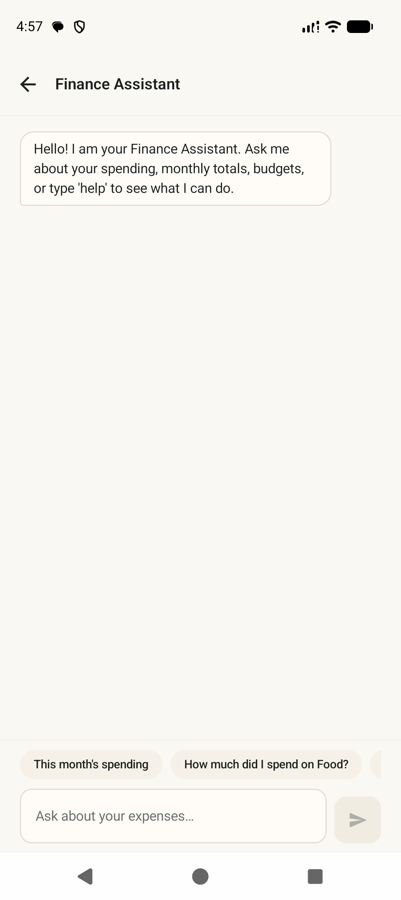
How much did I spend on food in June? Answered from the local database, with no server and no model in the loop.

How much did I spend on food in June?

4,180 across 31 transactions, averaging 135 a day.

Every screen, captured from the real app

Taken on an emulator running the build you download. Scroll sideways for the rest.

Home screen showing this month's spending, a bar chart of recent days, and recent transactions.
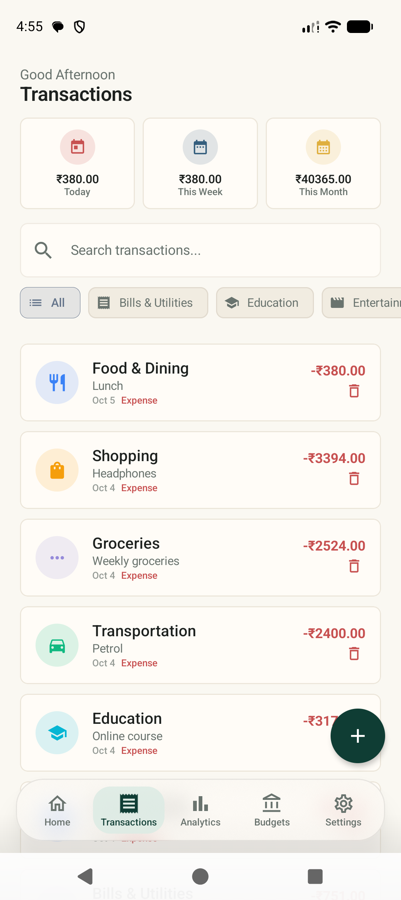
The transaction list with a search bar and category filter chips along the top.
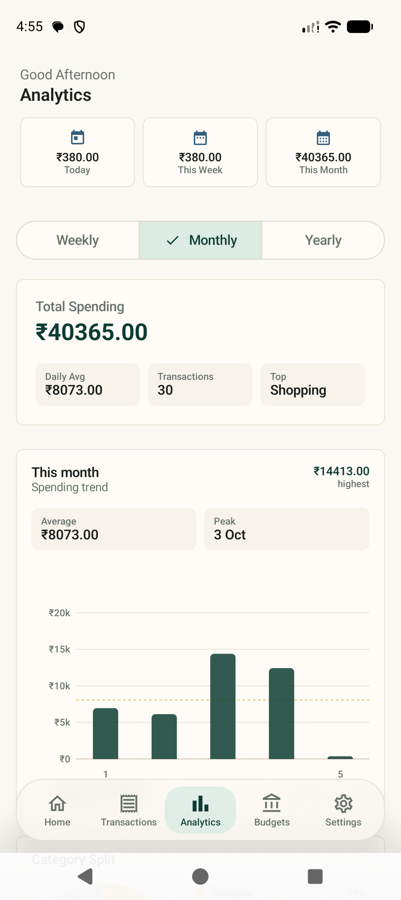
Analytics screen with a category donut chart and a bar chart of spending by day.
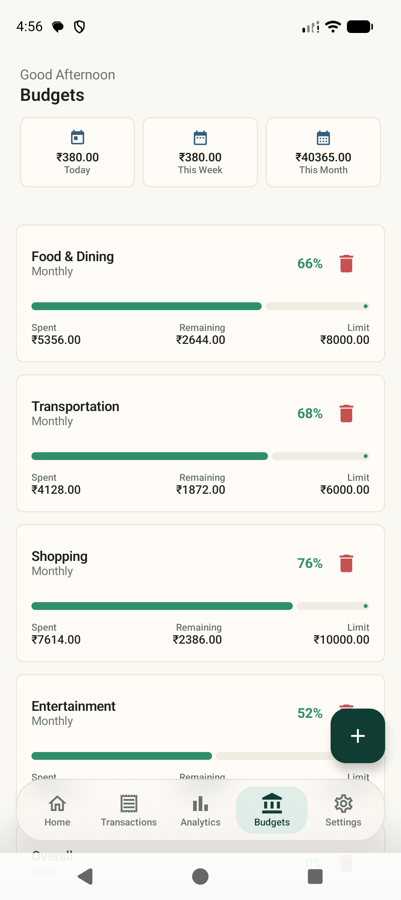
Budget screen showing a monthly limit, how much is spent, and a progress bar toward the threshold.
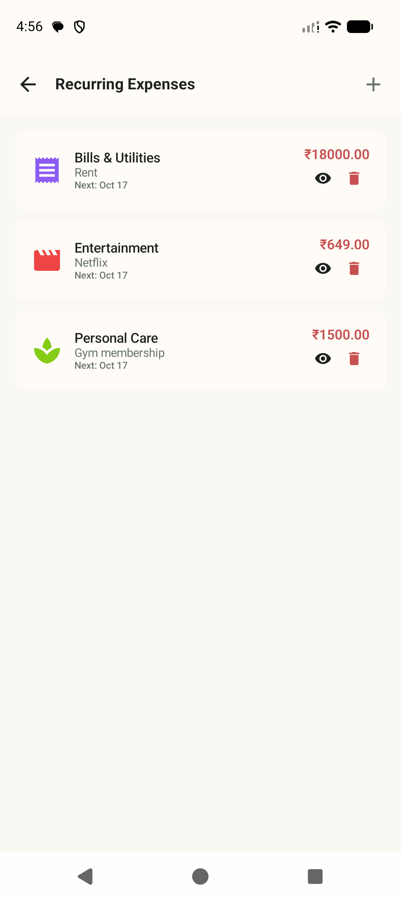
Recurring expenses screen listing subscriptions and bills that repeat on a schedule.
The Add Expense screen, with the Scan receipt button that reads a total off a photographed bill.
The finance assistant screen with a plain-language question and its answer.
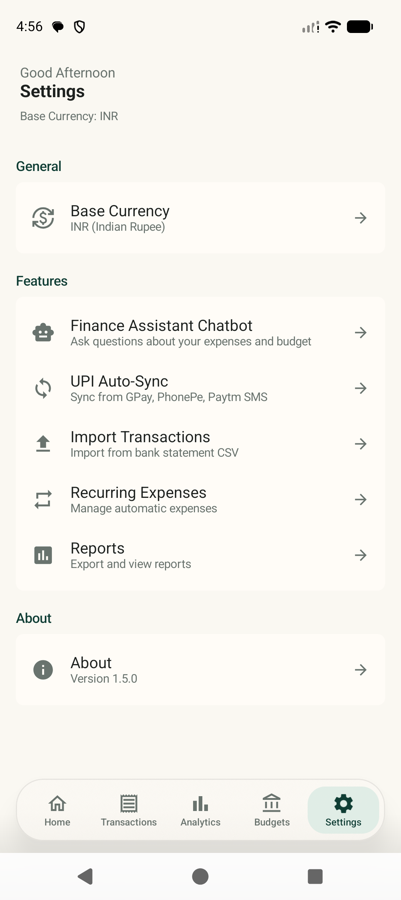
Settings screen with base currency, budget threshold and data export options.

Nothing you record leaves the device

There is no account, no analytics service and no sync. The database is a Room database in the app's own private storage, and the assistant answers from it directly.

Stored locally

Every row below lives in a SQLite database inside the app sandbox. Uninstall and it is gone.

  • Transactions and amounts
  • Categories and budgets
  • Recurring rules
  • Cached exchange rates
  • Assistant answers

Works offline

Receipt scanning runs on a text recognition model bundled with the app. Exchange rates are cached locally. Open it on a plane and it behaves the same.

What the app can ask for

All three are optional and requested only when you use the feature that needs them. Grant none of them and the app still tracks expenses by hand.

SMS
android.permission.READ_SMS
Reads UPI transaction messages on this phone and turns them into expense entries. Without it, add expenses by hand and everything else still works.
Notifications
android.permission.POST_NOTIFICATIONS
Tells you when a UPI message was turned into an expense. Android asks for this once, and declining it does not disable SMS syncing.
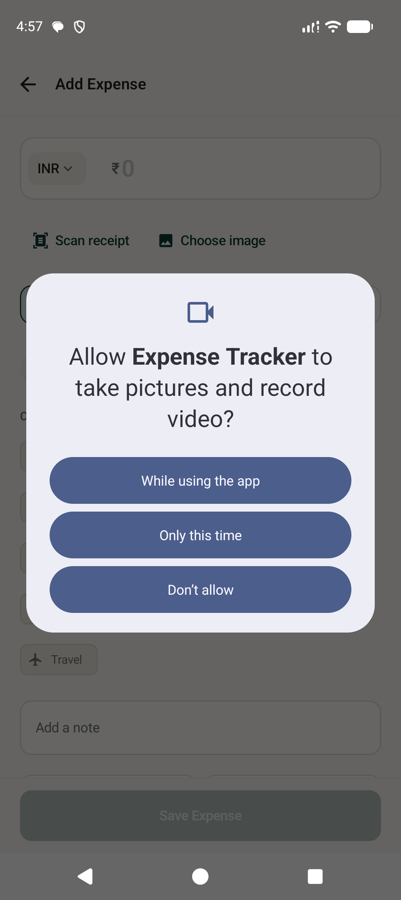
Camera
android.permission.CAMERA
Used only when you tap Scan Receipt, to read the total and merchant off paper. The photo never leaves the device.

The app targets Android 34 and needs 8.0 or newer. Source is at areyypriyanshu/expense-tracker.

Installing it takes a minute

  1. 01

    Download the APK

    One file, 21.04 MB. It is the same APK attached to every release in the repository.

  2. 02

    Allow your file manager to install it

    Android blocks installs from outside the Play Store by default. Tap the downloaded file, allow the prompt, and return.

  3. 03

    Open it

    The app installs, then opens on a short setup that explains what it does. It needs Android 8.0 or newer.

  4. 04

    Grant only what you will use

    Nothing is requested up front beyond notifications. SMS appears when you turn on UPI sync, camera when you tap Scan Receipt.

Play Protect will warn you

Android flags any app that did not come through the Play Store, including this one. The warning is expected and is not a sign of a problem. Choose Install anyway to continue. If Chrome pauses or gets stuck at 100% (22.06 MB), it is Android Safe Browsing scanning the file: check your notification shade or Chrome Downloads and tap Keep or Download anyway to finish saving it.

Read the sourceSigned with a personal release key, not a Play Store key
Download APK21.04 MB, version 1.5.0, 21.04 MB

Only install from this page or the repository.

Stuck at 100% (22.06 MB)? Android security scans often hang on APKs. If direct download fails, please open the GitHub Releases page and download directly from there.

Every release, with its real file size

See all releases
  1. 1.5.0

    prerelease27 September 2026
    Download21.04 MB, version 1.5.0, 21.04 MB80 downloads from the repository
  2. 1.0.4

    prerelease26 September 2026
    Download21.05 MB, version 1.0.4, 21.05 MB6 downloads from the repository
  3. 1.0.3

    prerelease26 September 2026
    Download21.02 MB, version 1.0.3, 21.02 MB7 downloads from the repository
  4. 1.0.2

    prerelease25 September 2026
    Download20.18 MB, version 1.0.2, 20.18 MB6 downloads from the repository